
List Builder
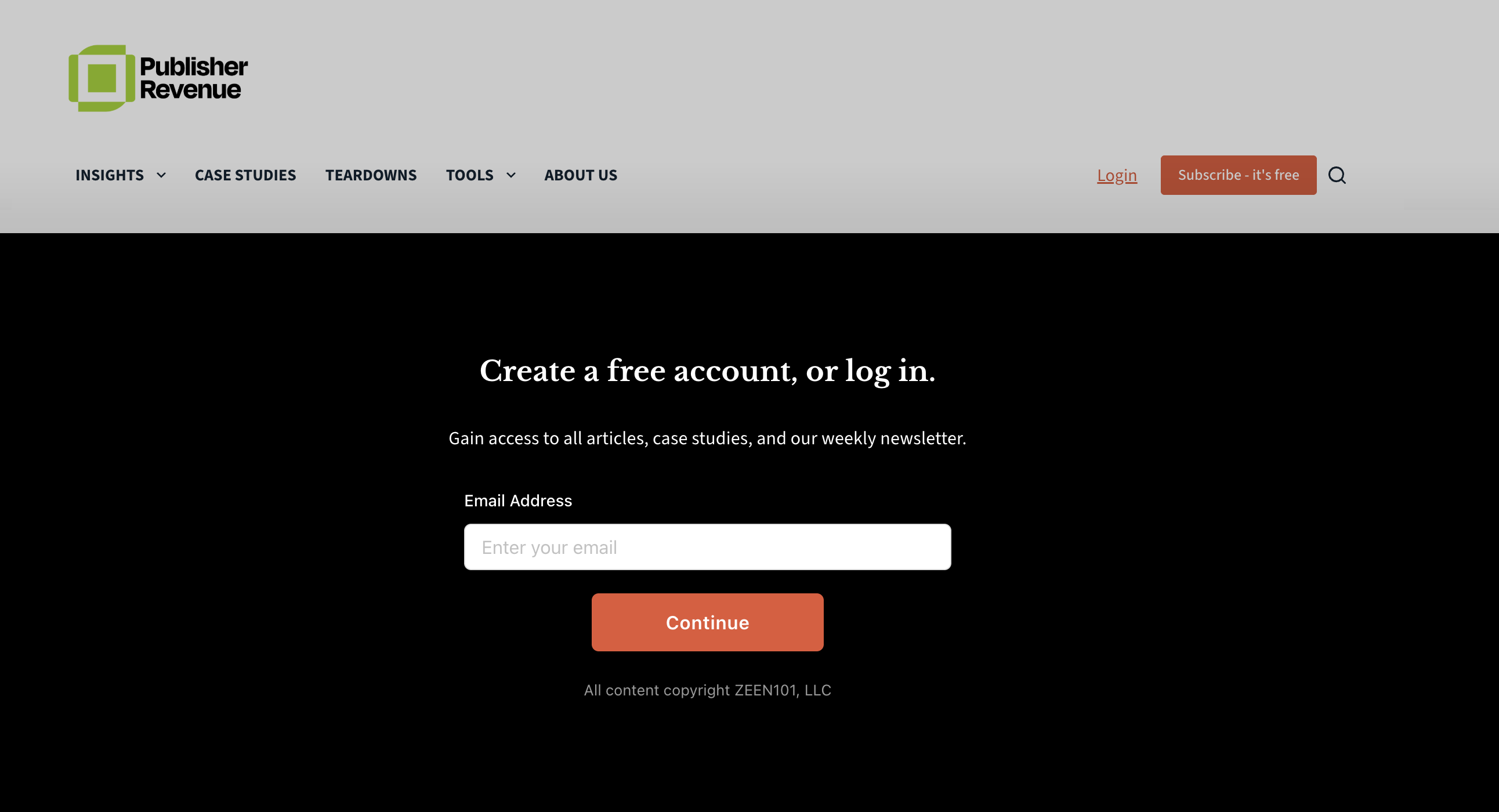
List Builder is a built-in registration tool that captures email signups directly from your content. When a visitor reaches their free article limit, instead of showing a standard paywall message, List Builder slides in a branded signup form from the bottom of the page. Readers enter their email and a password, and they're immediately registered as a free subscriber with access to the article.
Requirements
- Leaky Paywall 5.0 or later
- At least one free subscription level (price set to $0)
- Enabling List Builder automatically turns on Alternative Restriction Handling (JS cookie restrictions), which is required for it to function
Setup
Go to Leaky Paywall → Settings → General → List Builder section.
Logged-Out Messaging (New Visitors)
| Setting | Description |
|---|---|
| Enable | Turn on the List Builder modal for restricted content |
| Subscription Level | The free level new signups are assigned to. Must be a free level ($0) |
| Heading | Main heading displayed in the modal (e.g. "Create a free account, or log in.") |
| Subheading | Descriptive text below the heading (e.g. "Gain access to read this content, plus limited free content.") |
| Terms and Conditions | Opt-in text shown below the email form |
Logged-In Subscriber Messaging (Upgrade Prompt)
These settings control what logged-in free subscribers see when they hit a paywall on premium content. (optional)
| Setting | Description |
|---|---|
| Enable | Show upgrade modal for logged-in subscribers who hit the paywall |
| Heading | Heading for the upgrade modal |
| Subheading | Description text |
| Button Text | Label for the upgrade CTA button (links to your subscription page)
|
Colors
| Setting | Description |
|---|---|
| Background Color | Modal background (default: black) |
| Text Color | All text in the modal (default: white) |
| Button Color | Submit button background (default: orange-red) |
| Button Text Color | Submit button text (default: white) |
How It Works
New Visitor Flow
- A visitor reads content and reaches the free article limit set in your restrictions
- List Builder slides up from the bottom of the page with a semi-transparent overlay
- The visitor enters their email address
- If the email is new, they're prompted to create a password
- If the email already exists, they're prompted to log in with their password
- On success, they're registered as a free subscriber, logged in, and the page reloads with access to the article
Returning Subscriber Flow
- A logged-in free subscriber hits a premium paywall
- If the upgrade modal is enabled, List Builder shows the upgrade message with a button linking to your subscription page
- If the upgrade modal is not enabled, the standard paywall nag message displays instead
Password Reset
If a returning reader forgets their password, they can click "Forgot your password?" in the login step. List Builder handles the full reset flow inline — no redirect to wp-login.php:
- A 6-digit verification code is emailed to them
- They enter the code in the modal
- They set a new password
- They're logged in automatically
Codes expire after 10 minutes. Rate limiting is built in: 30 seconds between code requests and a maximum of 8 attempts before lockout.
How It Integrates with Restrictions
List Builder works with your existing Leaky Paywall restriction rules. It does not change how many free articles a visitor gets or which content is restricted. It only changes what happens at the moment the paywall fires — instead of a static message, the reader sees an interactive signup form.
When a visitor signs up or logs in through List Builder:
- Their viewed content tracking (localStorage) is cleared
- Any restriction cookies are reset
- The page reloads with the user authenticated and access granted
Alternative Restriction Handling
List Builder requires Alternative Restriction Handling (JS cookie restrictions) to be enabled. This is set automatically when you enable List Builder. With this mode, content is loaded in the page but hidden until the restriction check completes. This allows List Builder to intercept the paywall event and display the modal.
Spam Protection
List Builder includes a hidden honeypot field to block automated bot signups. It is also compatible with our Recaptcha, Turnstile, and Email Verification extensions.