
How to send a welcome email to new subscribers
There are two ways to welcome new subscribers in Flowletter. Use one or both.
Option 1: A thank you email
A single email that is sent as soon as someone subscribes through your subscribe form or the API.
1) Login to your portal.flowletter.io account.
2) Select "View all lists", select your list, then select "List settings".

3) Under "Subscribe settings", tick "Send user a thank you email after they subscribe through the subscribe form or API?".
4) Add a "Thank you email subject" and write your message. You can use personalization tags like [Name,fallback=there].
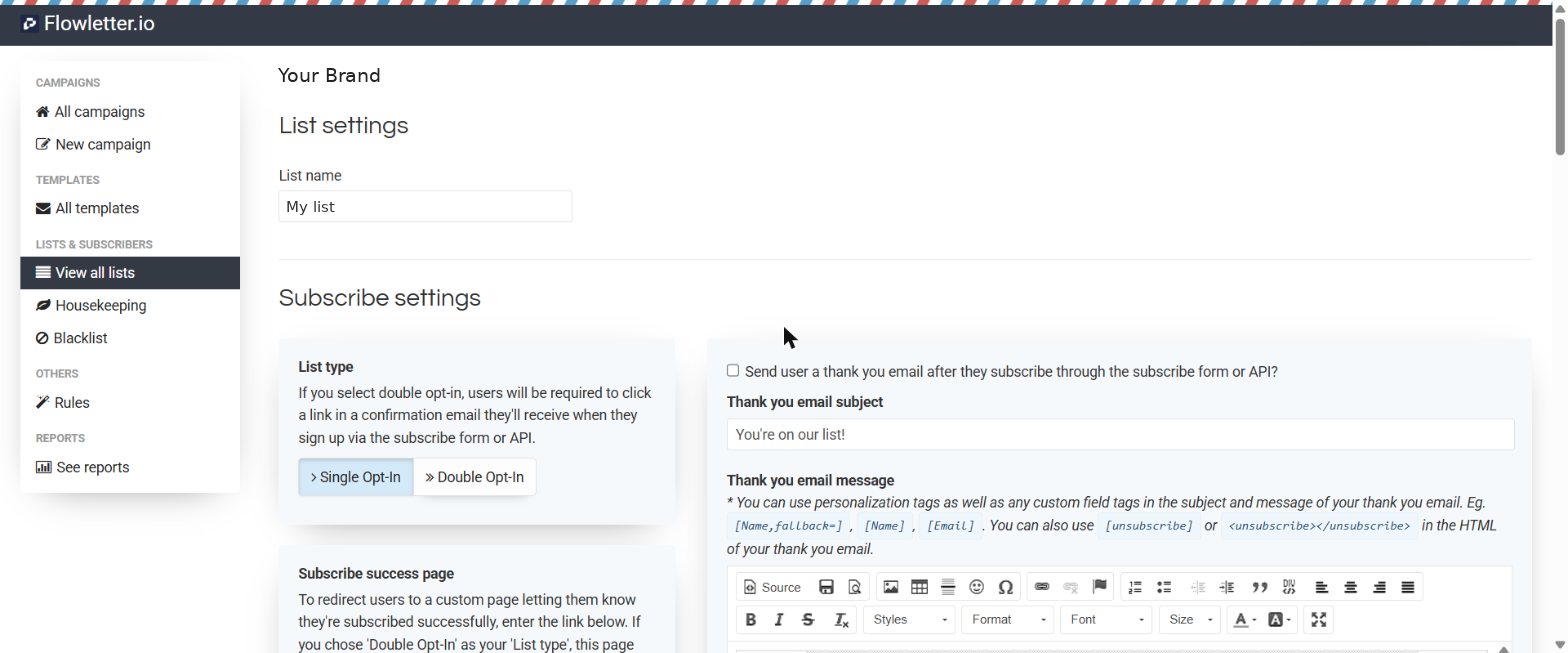
5) Scroll to the bottom and select "Save".
Option 2: A welcome series
A series of emails sent automatically over the days or weeks after someone joins, for example a welcome on day 1, your best articles on day 3 and an upgrade offer on day 7.
Set each email up as an autoresponder on your list and choose when it should send. The first one can send straight after sign up. See How to create a drip campaign with Flowletter for the full steps.
Tip: Keep your first email short. Say thank you, tell people what to expect and how often, and link to two or three of your best articles.